


No results found
Spartans
  • 私たちのマニフェスト私たちのマニフェスト
  • 33% キャッシュバック33% キャッシュバック
  • カジノカジノ
    • ロビーロビー
    • Spartans OriginalsSpartans Originals
    • Degen ZoneDegen Zone
    • 人気のスロット人気のスロット
    • 新着ゲーム新着ゲーム
    • ライブカジノライブカジノ
    • スパルタン限定スパルタン限定
    • クラッシュゲームクラッシュゲーム
    • メガウェイズメガウェイズ
    • ゲームショーゲームショー
    • プロバイダープロバイダー
  • スポーツスポーツ
    • Odds88Odds88
    • BetbyBetby
  • 予想予想
  • アフィリエイトアフィリエイトNEW
  • パートナーパートナー
    • Conor BennConor Benn
    • Era IstrefiEra Istrefi
    • RAFRAF
  • ギブアウェイギブアウェイ
  • プロモーションプロモーションNEW
  • お客様の声お客様の声
  • ストリームを視聴するストリームを視聴する
  • サポートサポート
    • よくある質問よくある質問
    • 私たちについて私たちについて
    • 開発ロードマップ開発ロードマップ
    • ブログブログ
  • ja日本語
AppApp
App Installation
App Installation

Install SPARTANS APP on Your Phone

Enjoy faster access and a seamless app-like experience. Install Spartans on your home screen in just a few taps - no app store required.

For iPhone & iPad (Safari)

Add Spartans to Your Home Screen (iOS)

Open Spartans.com in Safari
1. Open Spartans.com in Safari

First, launch the Safari browser and go to spartans.com.
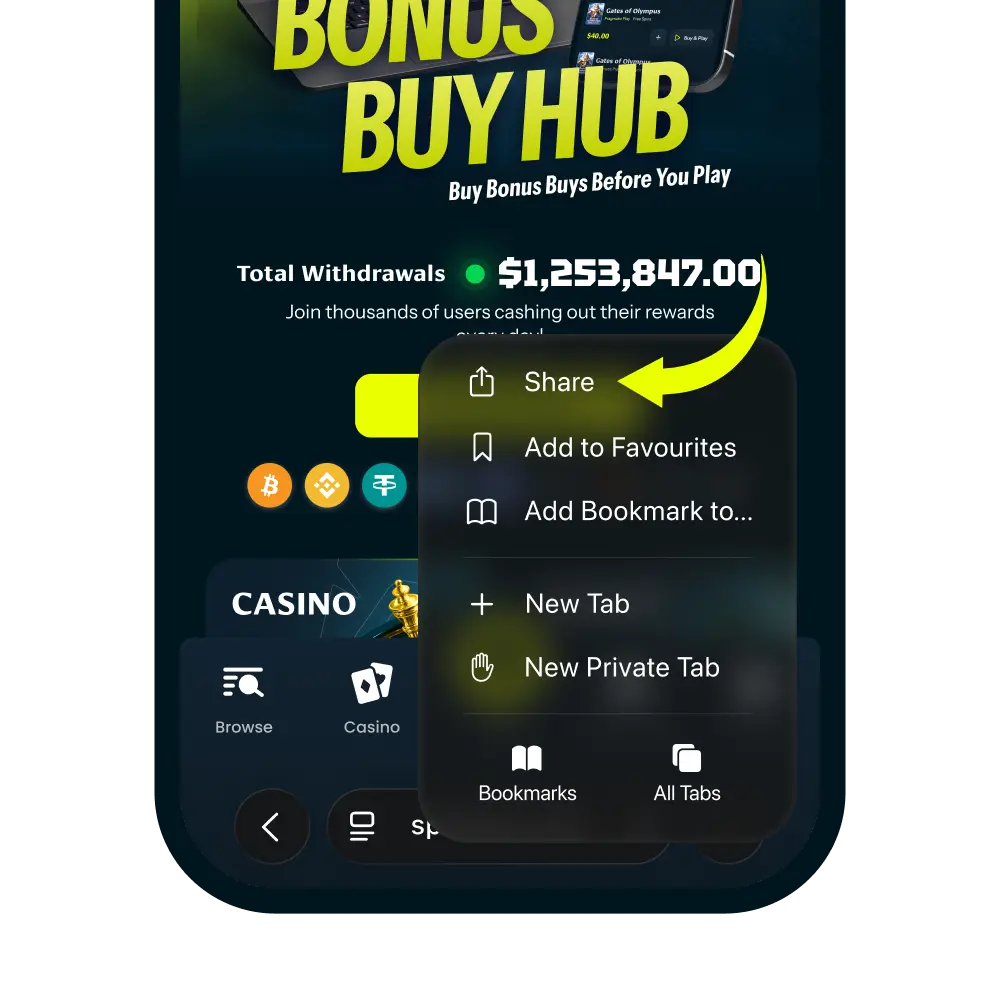
Tap the More Button
2. Tap the More Button

Tap the more icon in the navigation bar. And then tap “Share” It looks like a square with an arrow pointing up.
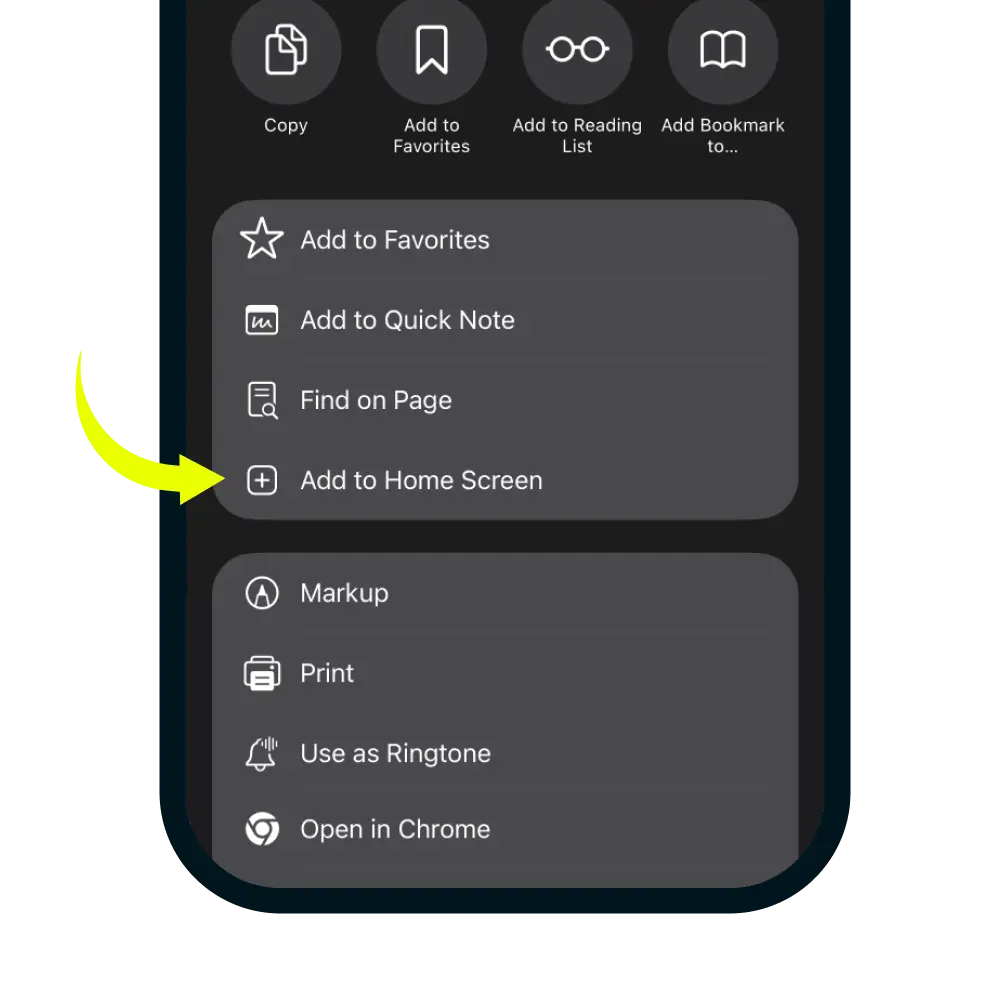
Select Add to Home Screen
3. Select Add to Home Screen

In the share menu, click more button and scroll down the list of options and tap 'Add to Home Screen'.
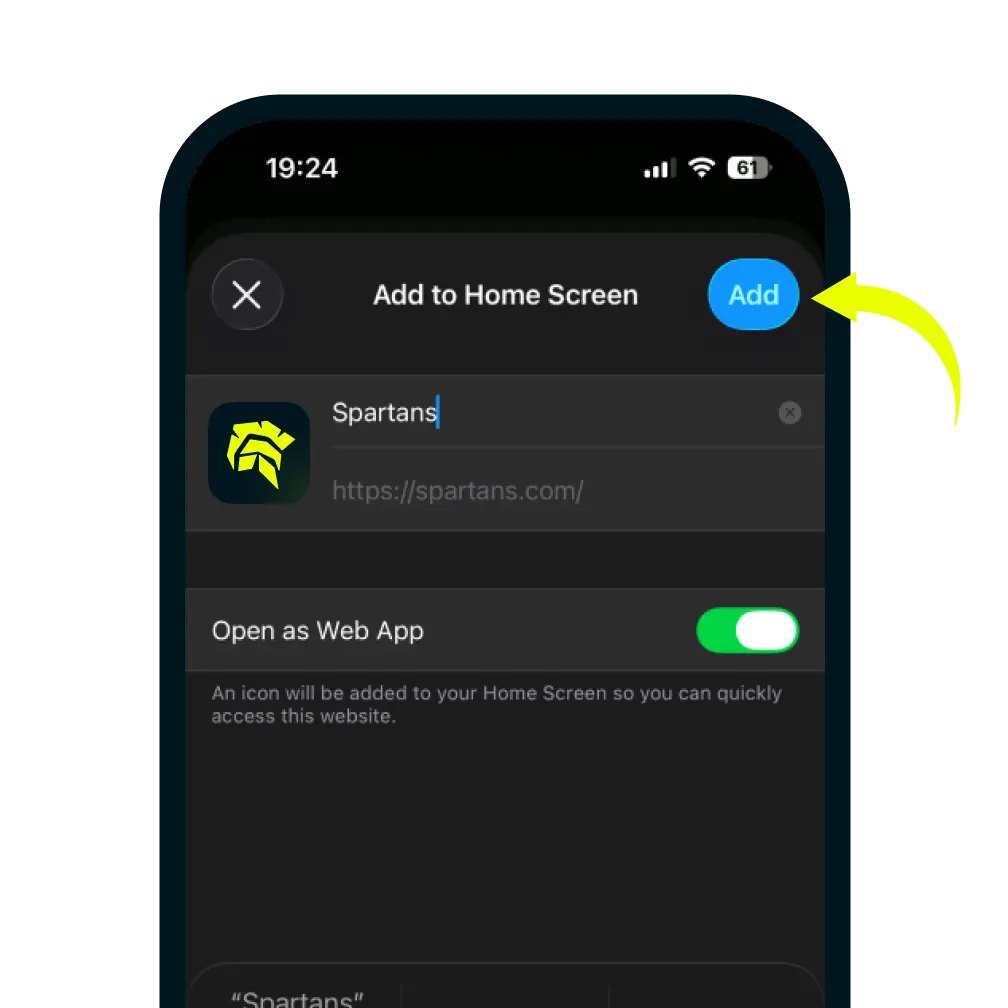
Confirm and Add
4. Confirm and Add

You can edit the name for the shortcut, then tap Add in the top-right corner to finish.