



No results found
Spartans
  • 선언문선언문
  • 33% CashRake33% CashRake
  • 카지노카지노
    • 로비로비
    • Spartans 오리지널Spartans 오리지널
    • Degen 존Degen 존
    • 인기 슬롯인기 슬롯
    • 신규신규
    • 라이브 카지노라이브 카지노
    • Spartans 독점Spartans 독점
    • 크래시크래시
    • MegawaysMegaways
    • 게임 쇼게임 쇼
    • 게임사게임사
  • 스포츠스포츠
    • Odds88Odds88
    • BetbyBetby
  • 예측예측
  • 제휴 프로그램제휴 프로그램NEW
  • 파트너사파트너사
    • Conor BennConor Benn
    • Era IstrefiEra Istrefi
    • RAFRAF
  • 경품 이벤트경품 이벤트
  • 프로모션프로모션NEW
  • 이용 후기이용 후기
  • 스트리밍 시청스트리밍 시청
  • 고객 지원고객 지원
    • 자주 묻는 질문자주 묻는 질문
    • 회사 소개회사 소개
    • 개발 로드맵개발 로드맵
    • 블로그블로그
  • ko한국어
AppApp
App Installation
App Installation

Install SPARTANS APP on Your Phone

Enjoy faster access and a seamless app-like experience. Install Spartans on your home screen in just a few taps - no app store required.

For iPhone & iPad (Safari)

Add Spartans to Your Home Screen (iOS)

Open Spartans.com in Safari
1. Open Spartans.com in Safari

First, launch the Safari browser and go to spartans.com.
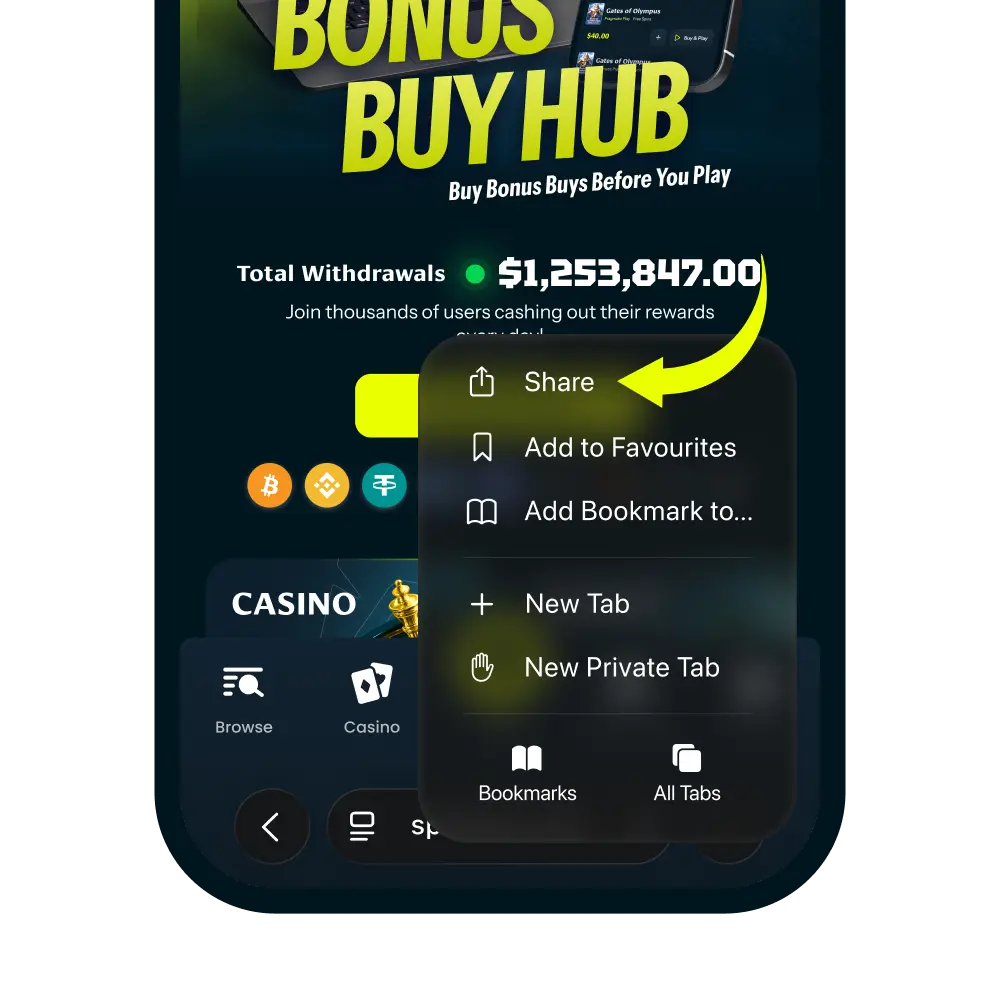
Tap the More Button
2. Tap the More Button

Tap the more icon in the navigation bar. And then tap “Share” It looks like a square with an arrow pointing up.
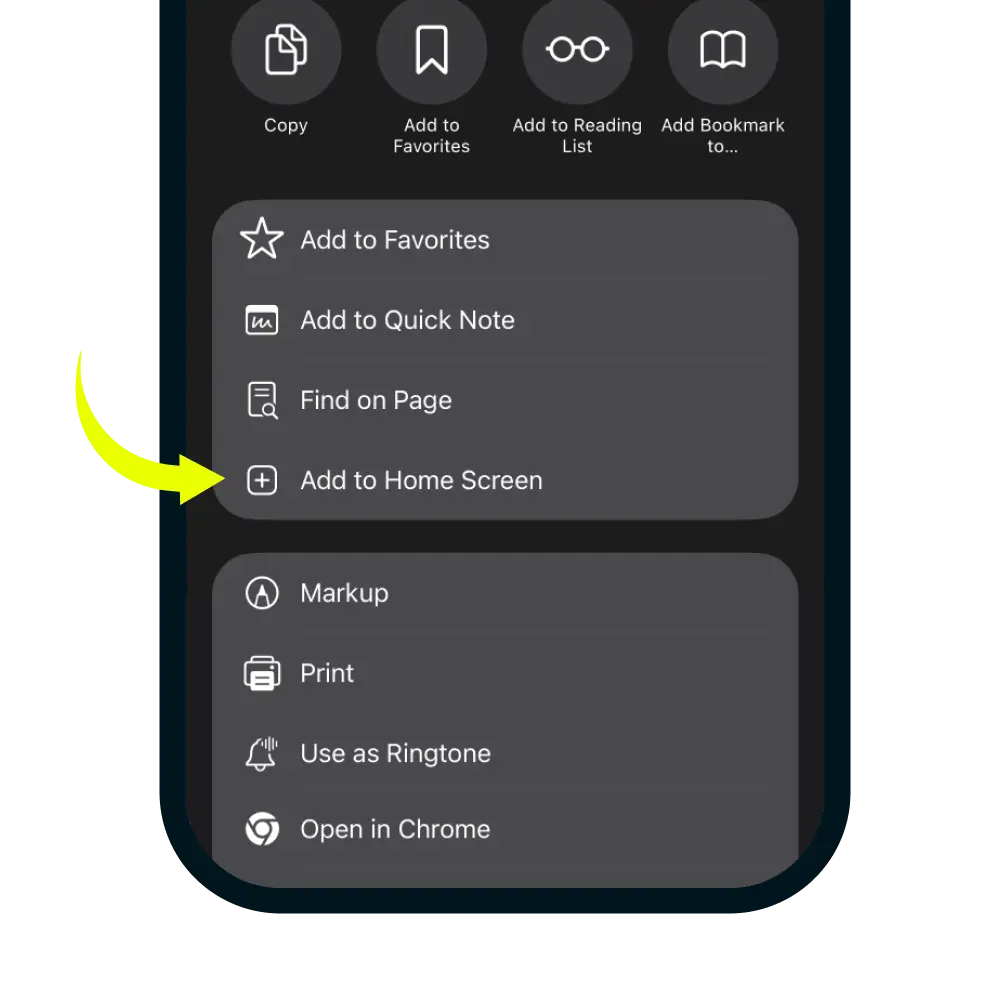
Select Add to Home Screen
3. Select Add to Home Screen

In the share menu, click more button and scroll down the list of options and tap 'Add to Home Screen'.
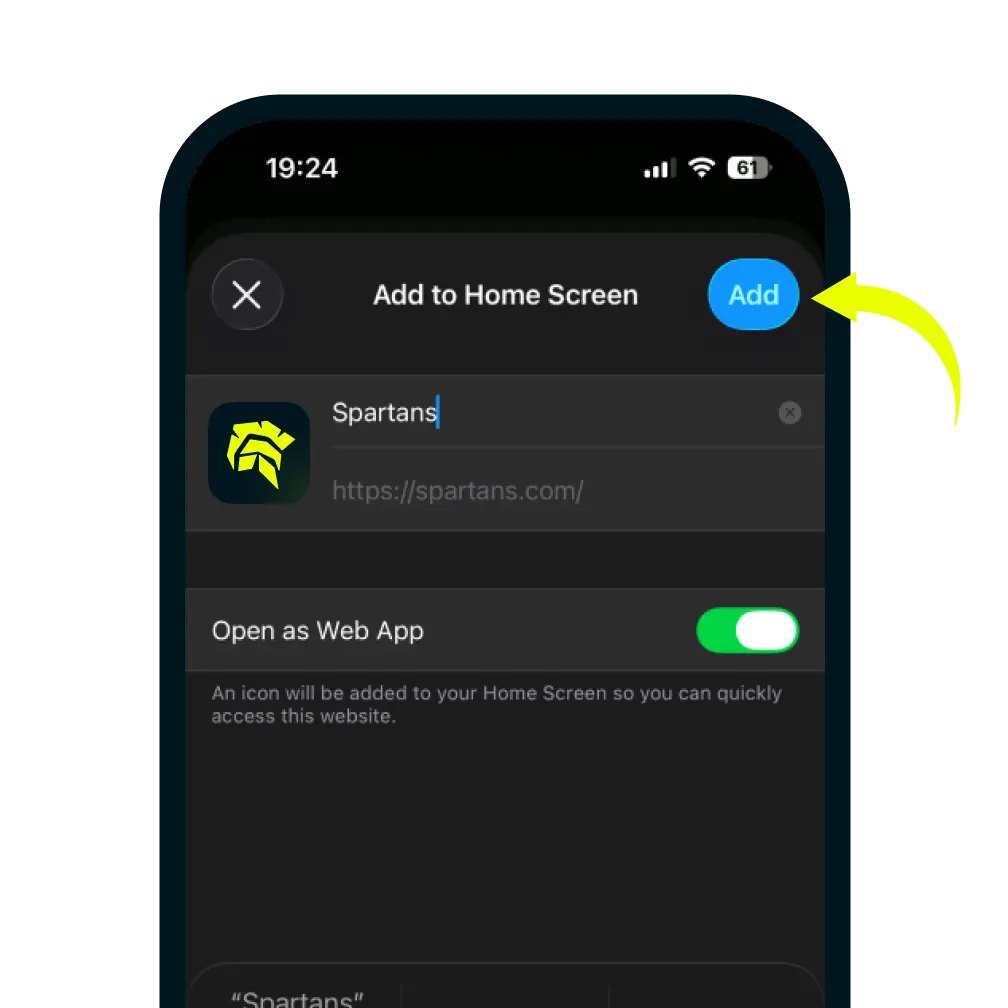
Confirm and Add
4. Confirm and Add

You can edit the name for the shortcut, then tap Add in the top-right corner to finish.