


No results found
Spartans
  • Nosso ManifestoNosso Manifesto
  • 33% CashRake33% CashRake
  • CasinoCasino
    • LobbyLobby
    • Spartans OriginalsSpartans Originals
    • Degen ZoneDegen Zone
    • Slots em AltaSlots em Alta
    • Novos LançamentosNovos Lançamentos
    • Casino ao VivoCasino ao Vivo
    • Spartans ExclusivoSpartans Exclusivo
    • Jogos CrashJogos Crash
    • MegawaysMegaways
    • Game ShowsGame Shows
    • FornecedoresFornecedores
  • EsportesEsportes
    • Odds88Odds88
    • BetbyBetby
  • PrevisõesPrevisões
  • AfiliadoAfiliadoNEW
  • ParceirosParceiros
    • Conor BennConor Benn
    • Era IstrefiEra Istrefi
    • RAFRAF
  • BrindesBrindes
  • PromoçõesPromoçõesNEW
  • DepoimentosDepoimentos
  • Assistir TransmissõesAssistir Transmissões
  • SuporteSuporte
    • Perguntas FrequentesPerguntas Frequentes
    • Sobre NósSobre Nós
    • Roteiro de DesenvolvimentoRoteiro de Desenvolvimento
    • BlogBlog
  • ptPortuguês
AppApp
App Installation
App Installation

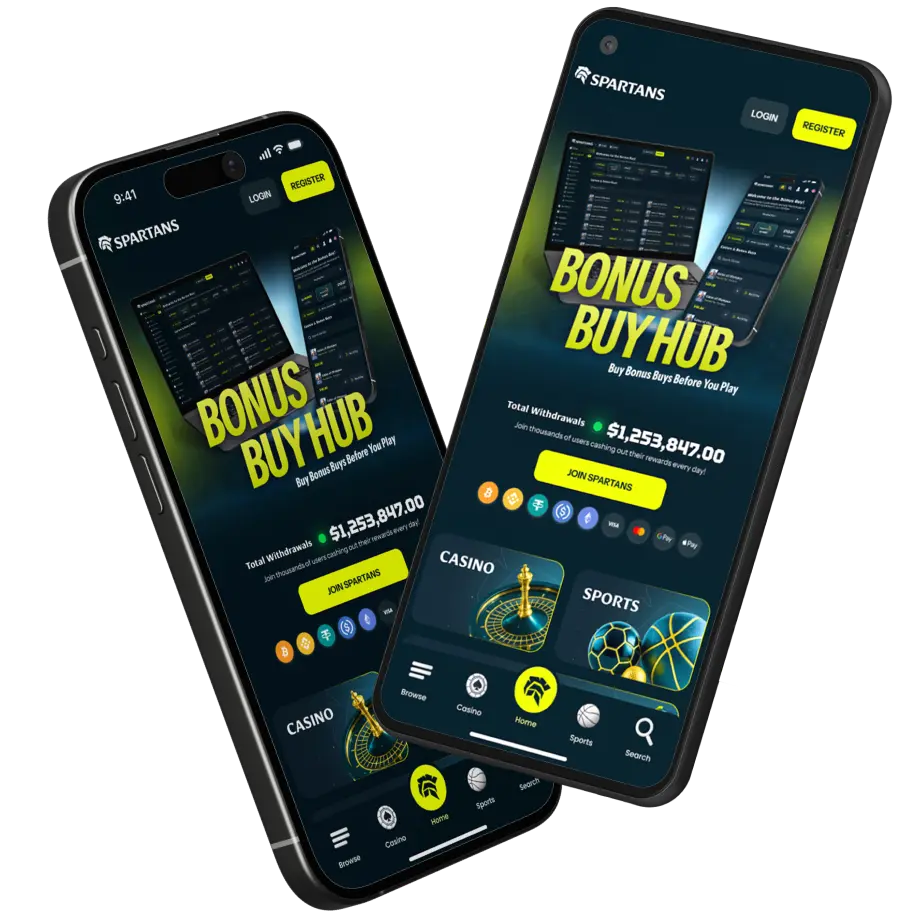
Install SPARTANS APP on Your Phone

Enjoy faster access and a seamless app-like experience. Install Spartans on your home screen in just a few taps - no app store required.

For iPhone & iPad (Safari)

Add Spartans to Your Home Screen (iOS)

Open Spartans.com in Safari
1. Open Spartans.com in Safari

First, launch the Safari browser and go to spartans.com.
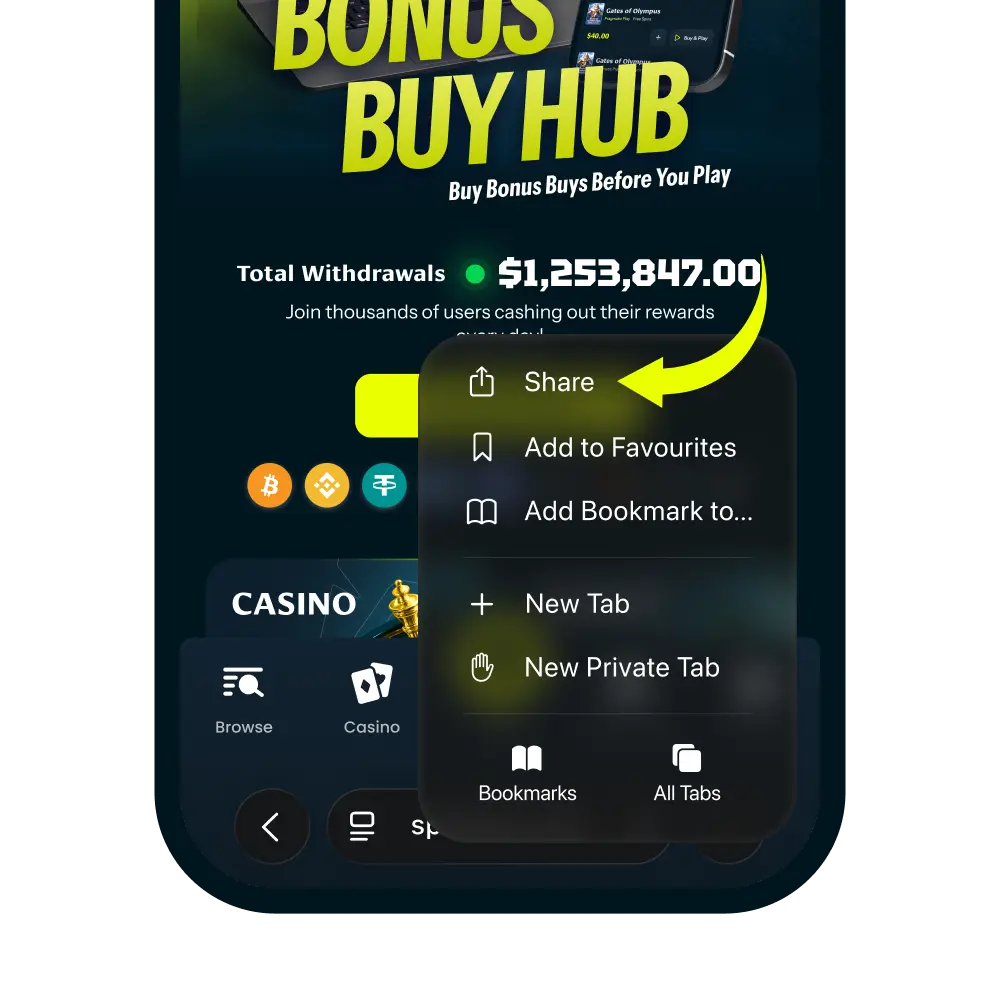
Tap the More Button
2. Tap the More Button

Tap the more icon in the navigation bar. And then tap “Share” It looks like a square with an arrow pointing up.
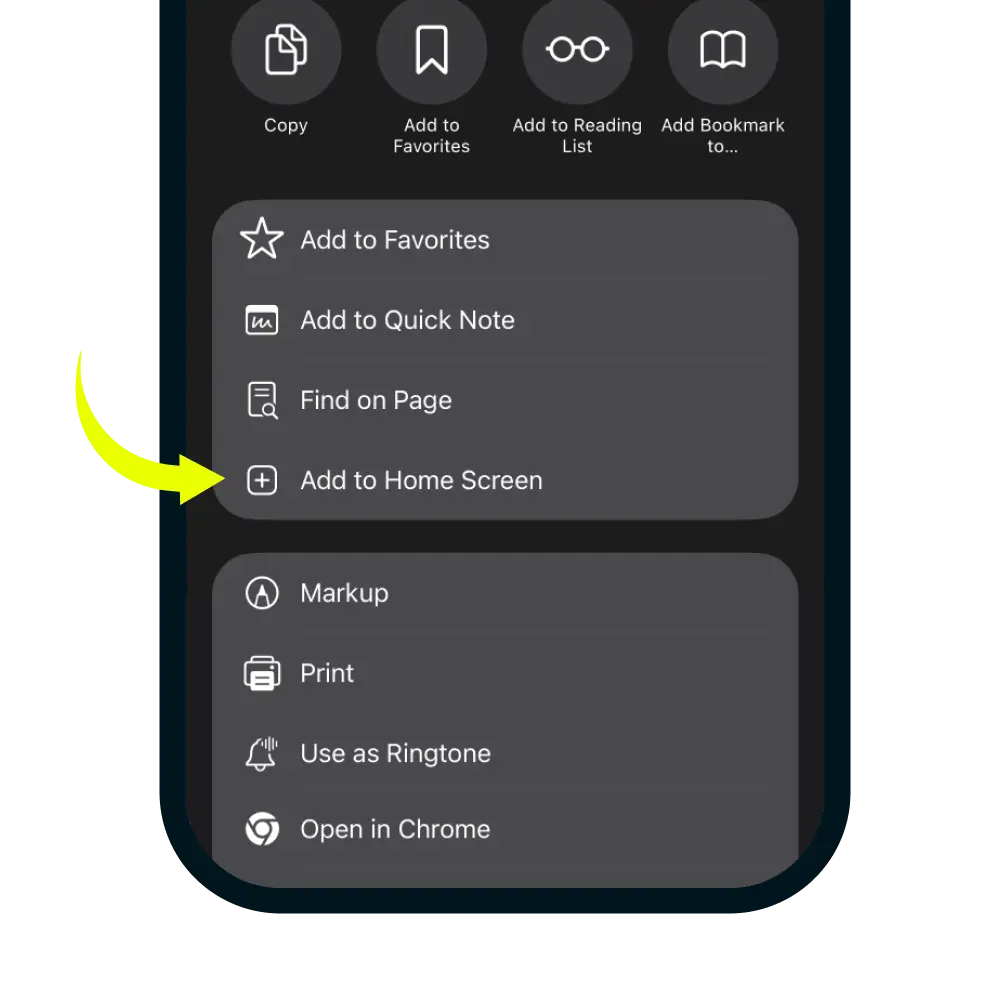
Select Add to Home Screen
3. Select Add to Home Screen

In the share menu, click more button and scroll down the list of options and tap 'Add to Home Screen'.
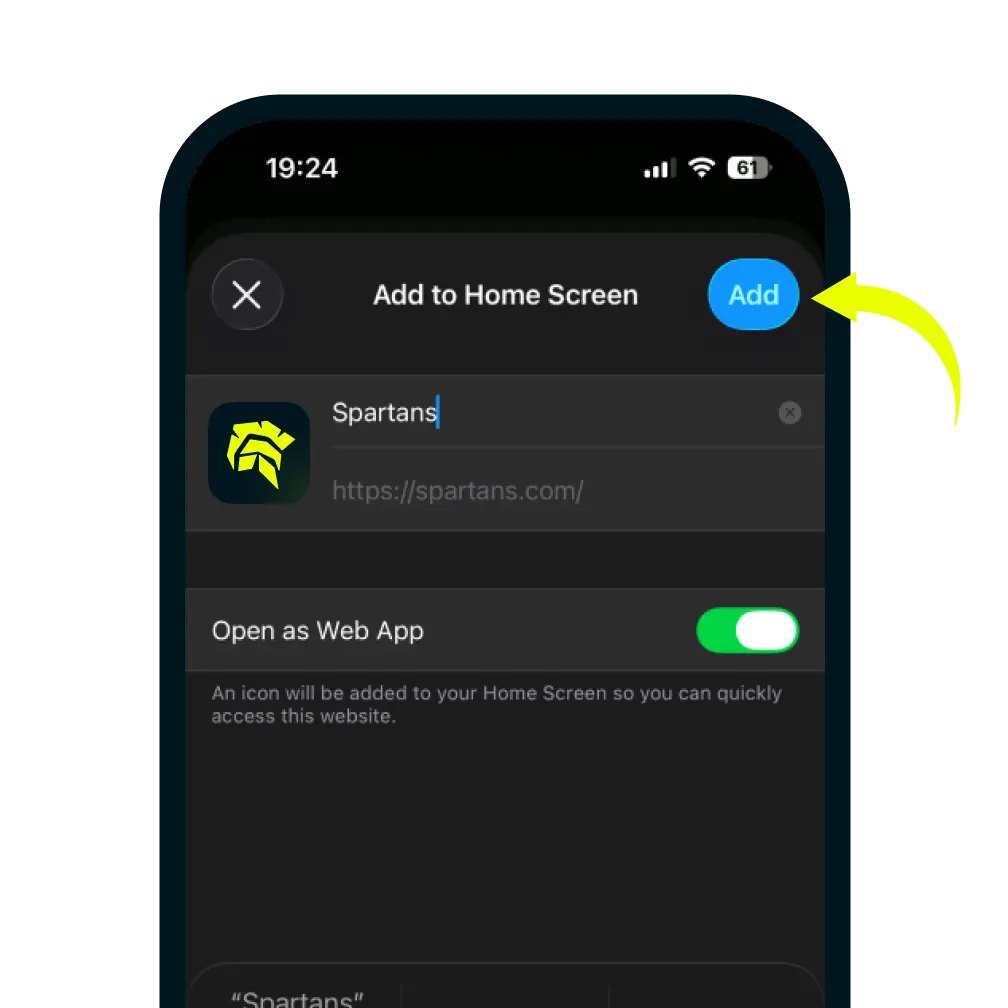
Confirm and Add
4. Confirm and Add

You can edit the name for the shortcut, then tap Add in the top-right corner to finish.