


No results found
Spartans
  • Tuyên ngônTuyên ngôn
  • 33% CashRake33% CashRake
  • CasinoCasino
    • SảnhSảnh
    • Spartans OriginalsSpartans Originals
    • Khu DegenKhu Degen
    • Slot HotSlot Hot
    • MớiMới
    • Live CasinoLive Casino
    • Riêng SpartansRiêng Spartans
    • CrashCrash
    • MegawaysMegaways
    • Game ShowsGame Shows
    • NCCNCC
  • Thể thaoThể thao
    • Odds88Odds88
    • BetbyBetby
  • Dự đoánDự đoán
  • Tiếp thị liên kếtTiếp thị liên kếtNEW
  • Đối tácĐối tác
    • Conor BennConor Benn
    • Era IstrefiEra Istrefi
    • RAFRAF
  • Quà tặngQuà tặng
  • Khuyến mãiKhuyến mãiNEW
  • Ý kiến khách hàngÝ kiến khách hàng
  • Xem LivestreamXem Livestream
  • Hỗ trợHỗ trợ
    • Câu hỏi thường gặpCâu hỏi thường gặp
    • Về chúng tôiVề chúng tôi
    • Lộ trình phát triểnLộ trình phát triển
    • BlogBlog
  • viTiếng Việt
AppApp
App Installation
App Installation

Install SPARTANS APP on Your Phone

Enjoy faster access and a seamless app-like experience. Install Spartans on your home screen in just a few taps - no app store required.

For iPhone & iPad (Safari)

Add Spartans to Your Home Screen (iOS)

Open Spartans.com in Safari
1. Open Spartans.com in Safari

First, launch the Safari browser and go to spartans.com.
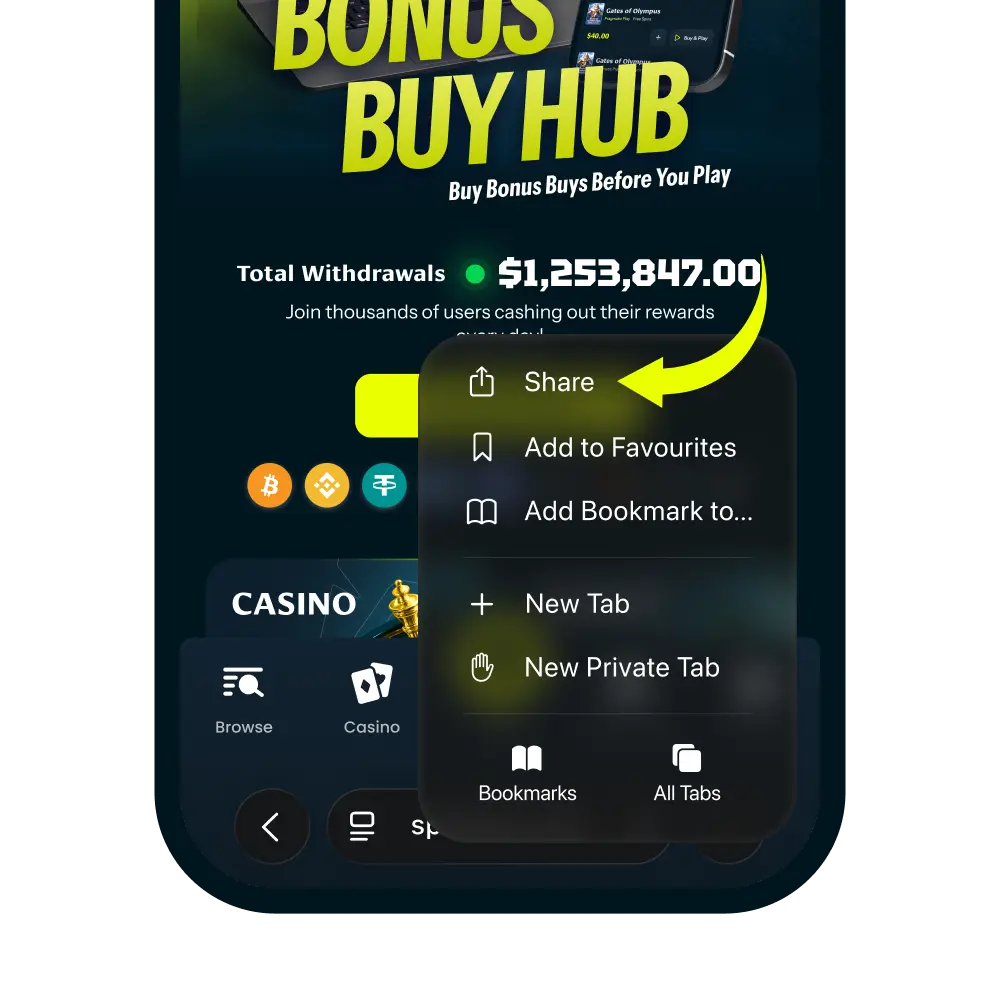
Tap the More Button
2. Tap the More Button

Tap the more icon in the navigation bar. And then tap “Share” It looks like a square with an arrow pointing up.
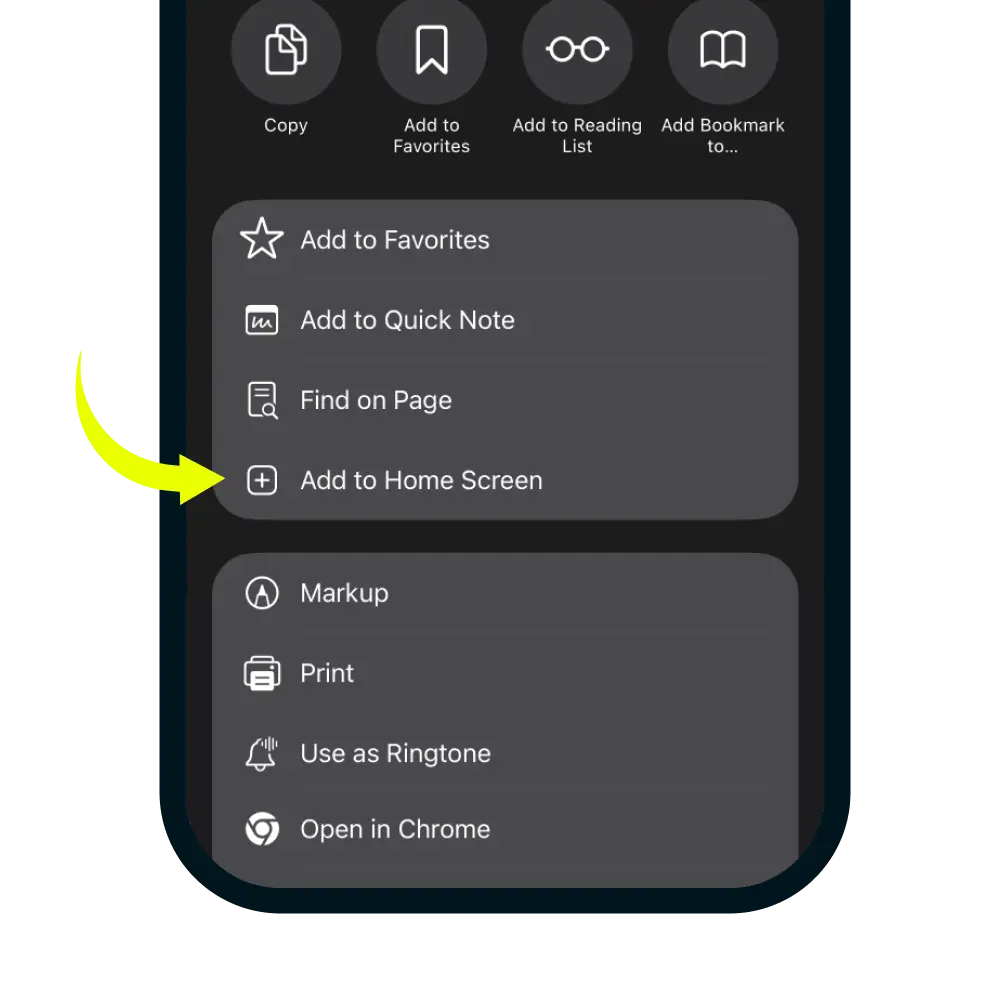
Select Add to Home Screen
3. Select Add to Home Screen

In the share menu, click more button and scroll down the list of options and tap 'Add to Home Screen'.
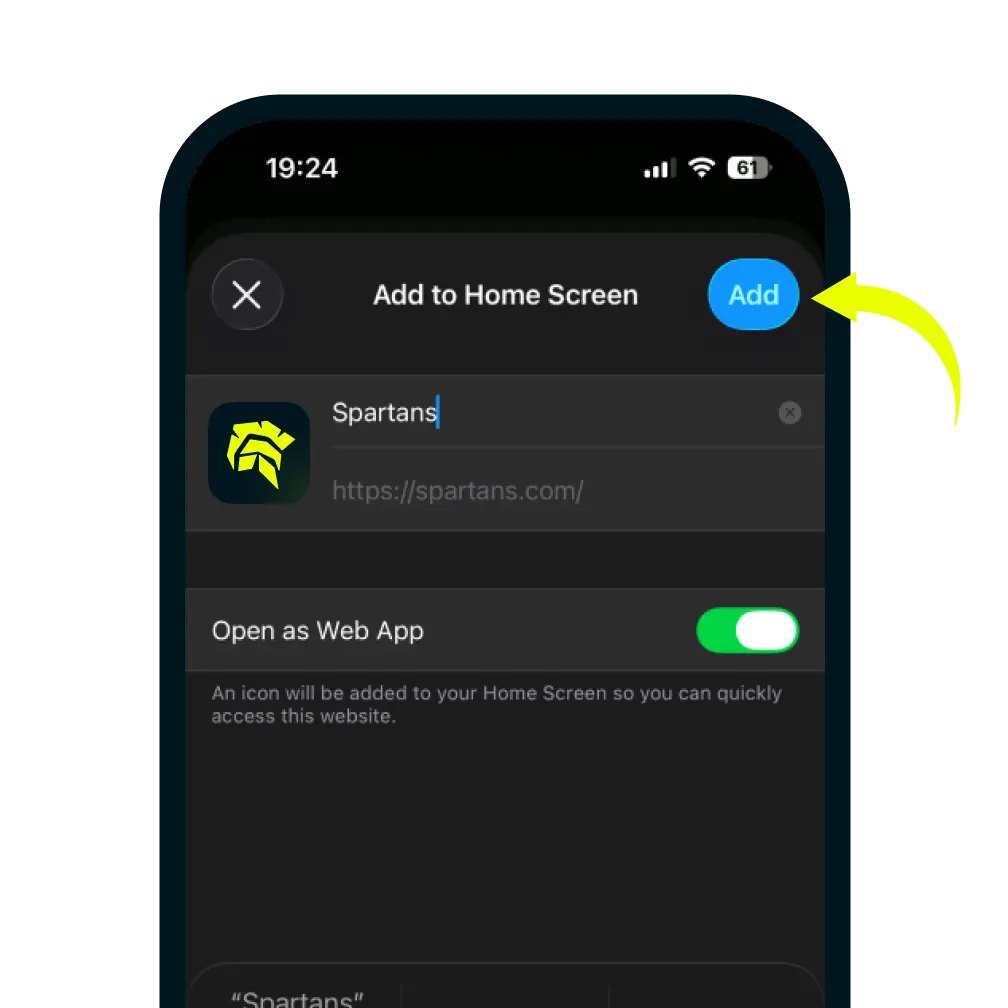
Confirm and Add
4. Confirm and Add

You can edit the name for the shortcut, then tap Add in the top-right corner to finish.