



No results found
Spartans
  • 我们的宣言我们的宣言
  • 33% 现金返利33% 现金返利
  • 赌场 / 娱乐场赌场 / 娱乐场
    • 大厅大厅
    • Spartans OriginalsSpartans Originals
    • Degen ZoneDegen Zone
    • 热门老虎机热门老虎机
    • 最新发布最新发布
    • 真人视讯 / 真人娱乐真人视讯 / 真人娱乐
    • 斯巴达独家斯巴达独家
    • 崩溃游戏崩溃游戏
    • MegawaysMegaways
    • 游戏秀游戏秀
    • 游戏供应商游戏供应商
  • 体育体育
    • Odds88Odds88
    • BetbyBetby
  • 预测预测
  • 关联公司 / 联盟成员关联公司 / 联盟成员NEW
  • 合作伙伴合作伙伴
    • Conor BennConor Benn
    • Era IstrefiEra Istrefi
    • RAFRAF
  • 赠送活动赠送活动
  • 促销活动促销活动NEW
  • 用户评价用户评价
  • 观看直播观看直播
  • 客服中心客服中心
    • 常见问题常见问题
    • 关于我们关于我们
    • 开发路线图开发路线图
    • 博客博客
  • zh中文
AppApp
App Installation
App Installation

Install SPARTANS APP on Your Phone

Enjoy faster access and a seamless app-like experience. Install Spartans on your home screen in just a few taps - no app store required.

For iPhone & iPad (Safari)

Add Spartans to Your Home Screen (iOS)

Open Spartans.com in Safari
1. Open Spartans.com in Safari

First, launch the Safari browser and go to spartans.com.
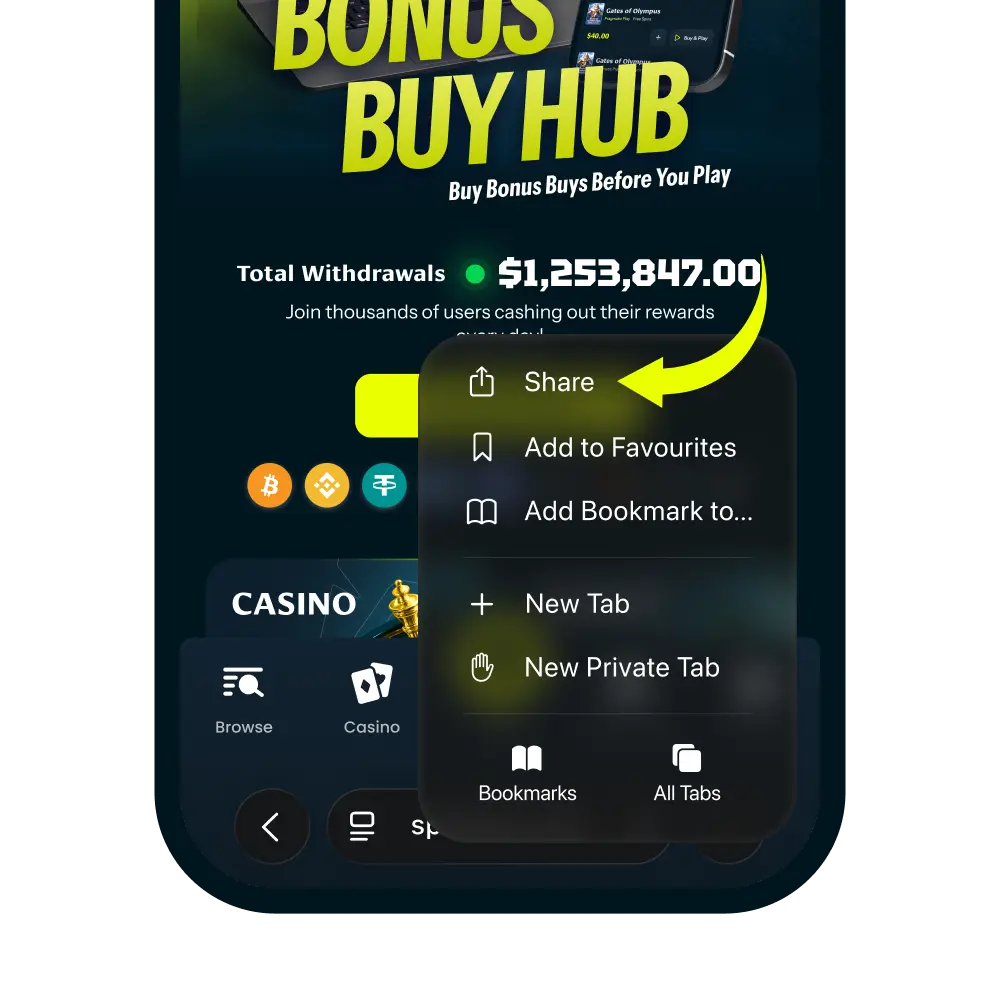
Tap the More Button
2. Tap the More Button

Tap the more icon in the navigation bar. And then tap “Share” It looks like a square with an arrow pointing up.
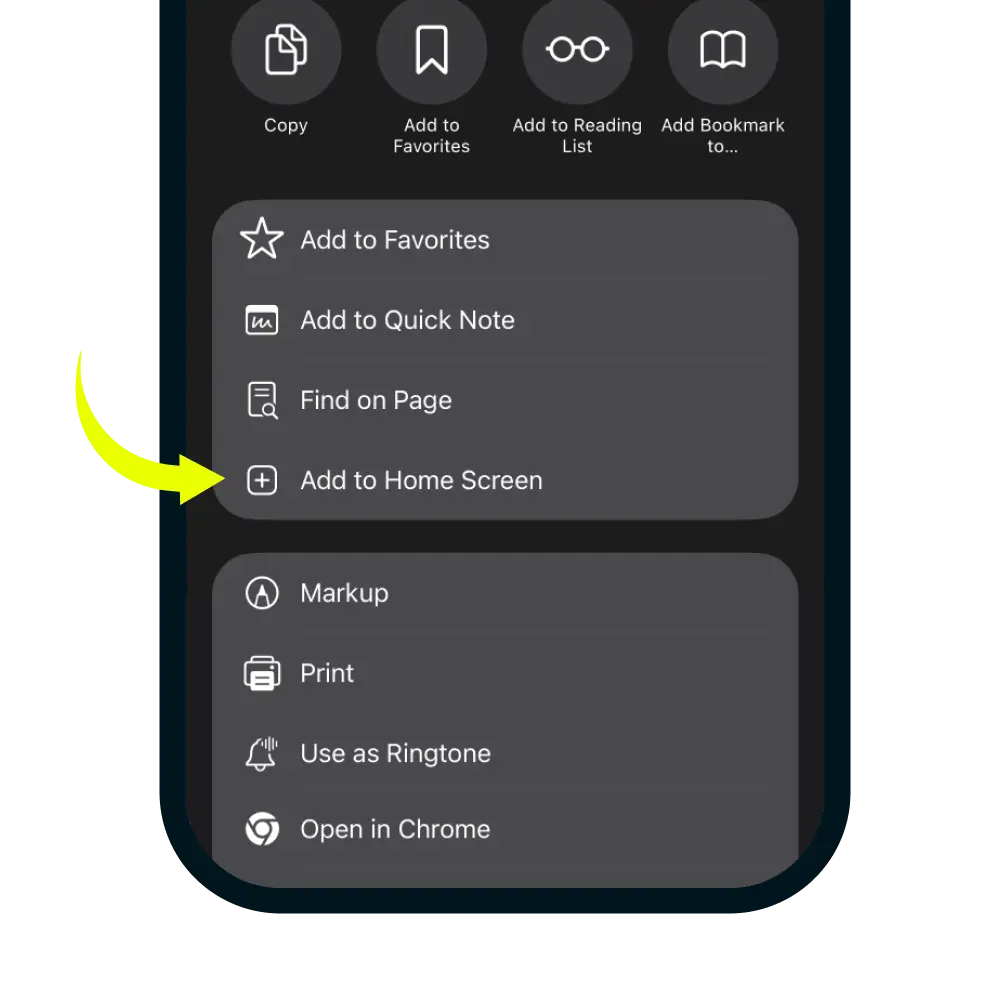
Select Add to Home Screen
3. Select Add to Home Screen

In the share menu, click more button and scroll down the list of options and tap 'Add to Home Screen'.
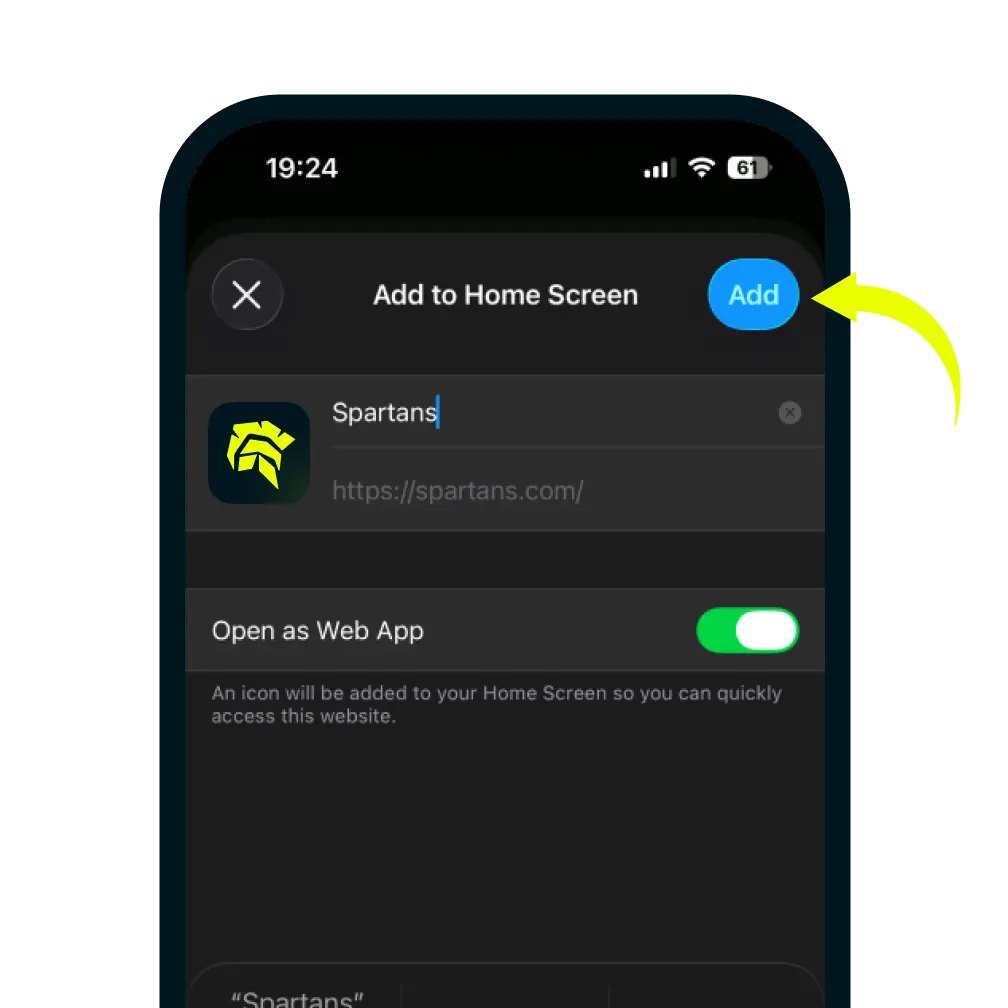
Confirm and Add
4. Confirm and Add

You can edit the name for the shortcut, then tap Add in the top-right corner to finish.